
Published November 2026.
Every collector who has graded cards knows this feeling. You pull a card that looks perfect, pay to submit it, wait, and it comes back an 8. The corners were sharp and the surface was clean. The centering was the problem, and you could have seen it yourself if you’d measured instead of eyeballing it.
So I built a free card centering calculator into HobbyGM. You take a photo, line up the edges, and it tells you the centering and the best grade PSA, BGS, SGC and CGC allow for it. It’s live now, it’s free, and you don’t need an account.
Why I built it
Centering is the one part of a grade you can measure before you send the card in. Corners, edges and surface come down to the grader’s eye under a lamp. Centering is just arithmetic: how wide the border is on one side compared with the other. Most of us still guess anyway, because measuring a border with a ruler is tedious and a phone photo is never perfectly square.
The tools I tried either wanted me to upload my photos to their server or gave me a ratio without saying what it meant for the grade. I wanted the answer to the question I was actually asking: what’s the best this card can get?
“Centering is the only part of the grade you can check at your kitchen table. I got tired of paying a grading company to tell me something a photo could have told me for free.”
Rory “Rorz” Hansen
How it works
- Take a photo. Get the whole card in frame on a plain, darker background. It doesn’t need to be square to the camera.
- Straighten it. Line up the four corners and the calculator undoes the tilt, so an angled phone shot measures like a flat scan.
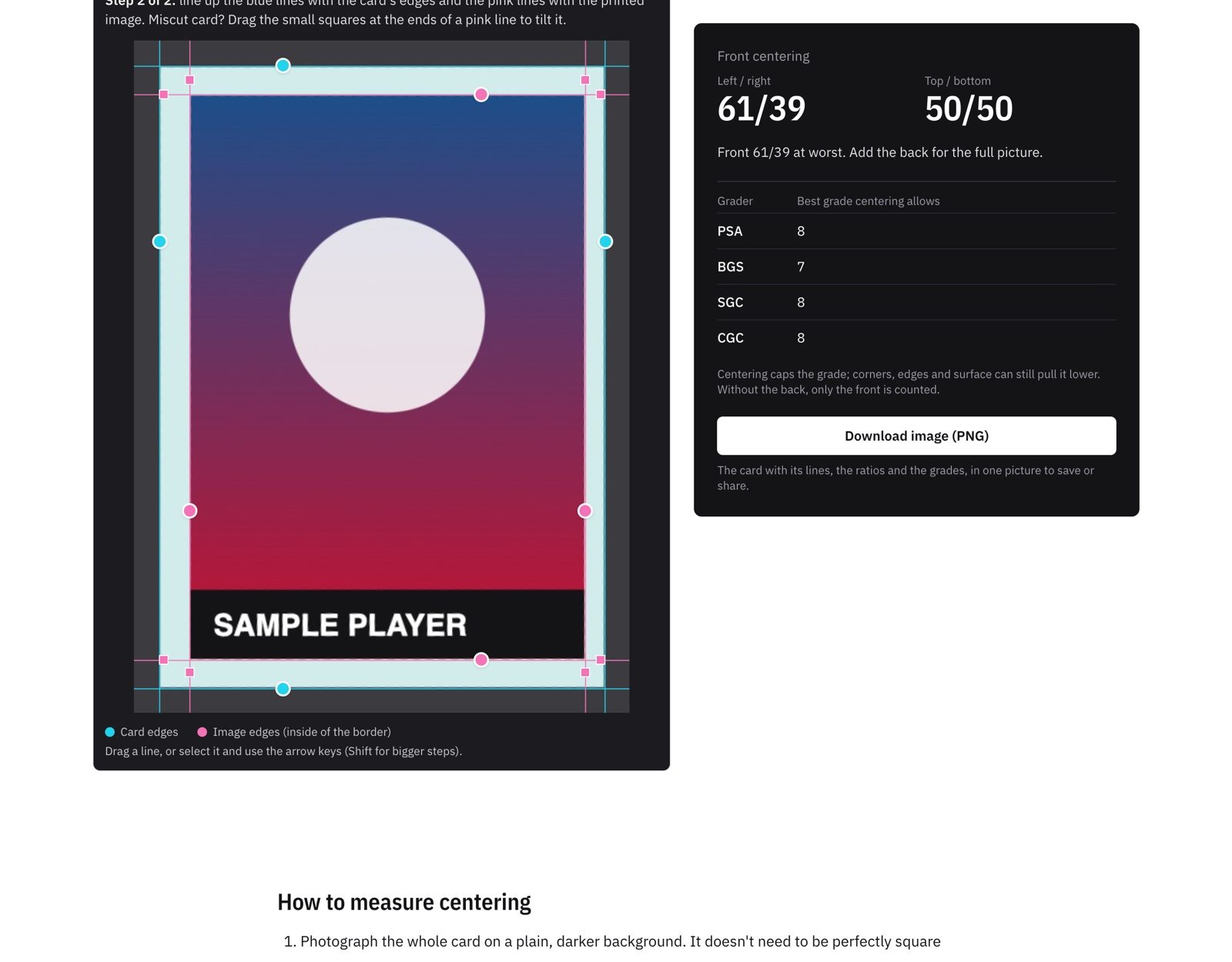
- Check the lines. It finds the card’s edges (blue) and the printed image’s edges (pink) for you. If it’s a little off, drag a line with the magnifier or nudge it with the arrow keys. Miscut cards can be tilted too.
- Add the back. PSA, Beckett and CGC grade back centering separately, so the calculator measures both sides and reports the worse of left/right and top/bottom.
Then it shows the best grade each company’s published centering rules allow. For a PSA 10, that’s roughly 55/45 or better on the front and 75/25 on the back. You can download the card with its lines, ratios and grades as one image, which is handy for a listing or for settling an argument in a group chat.
Your photo stays on your phone
This mattered to me. The measuring happens in your browser, so your photo never leaves your device. Nothing gets uploaded, nobody builds a database of your PC, and it works the same on a dollar-box card as on a card you’d rather not show the internet yet. Measured from a decent photo, it’s accurate to within a percent or two.
How I use it
Before anything goes in a grading submission now, it goes under the calculator first. Front, then back, thirty seconds a card. Anything that can’t reach the grade I need to make the submission worth it goes back in the box, or gets sold raw with the centering called out in the listing.
“Centering is a ceiling, not a grade. If the ceiling is an 8, I want to know that before I pay for the 10 lottery ticket.”
Rory “Rorz” Hansen
That’s the right way to read the result, too. A card that measures 52/48 isn’t a 10. It’s a card that can be a 10 if the corners, edges and surface hold up. A card at 65/35 can’t be, no matter how clean it is. Once you know the ceiling, the “is it worth grading?” math gets a lot simpler. HobbyGM has a calculator for that too, and our own card grading calculator and guide to picking cards for grading cover the rest.
Try it
The centering calculator is free on HobbyGM. Hit “Try a sample card” if you want to see it work before you grab your own. If it misreads one of your cards, tell me. That’s how it gets better.
